Introduction
The restaurant menu is a printed poster that costs £50 to reprint every month. The television in the hotel lobby plays a YouTube playlist. The shop window displays faded paper. Sound familiar? There is a much better way.
Professional Digital Signage solutions such as BrightSign + Scala cost £2,000+ per screen, plus annual CMS licences. For small and medium businesses, this is an unaffordable investment – and that is why most settle for YouTube and USB sticks.
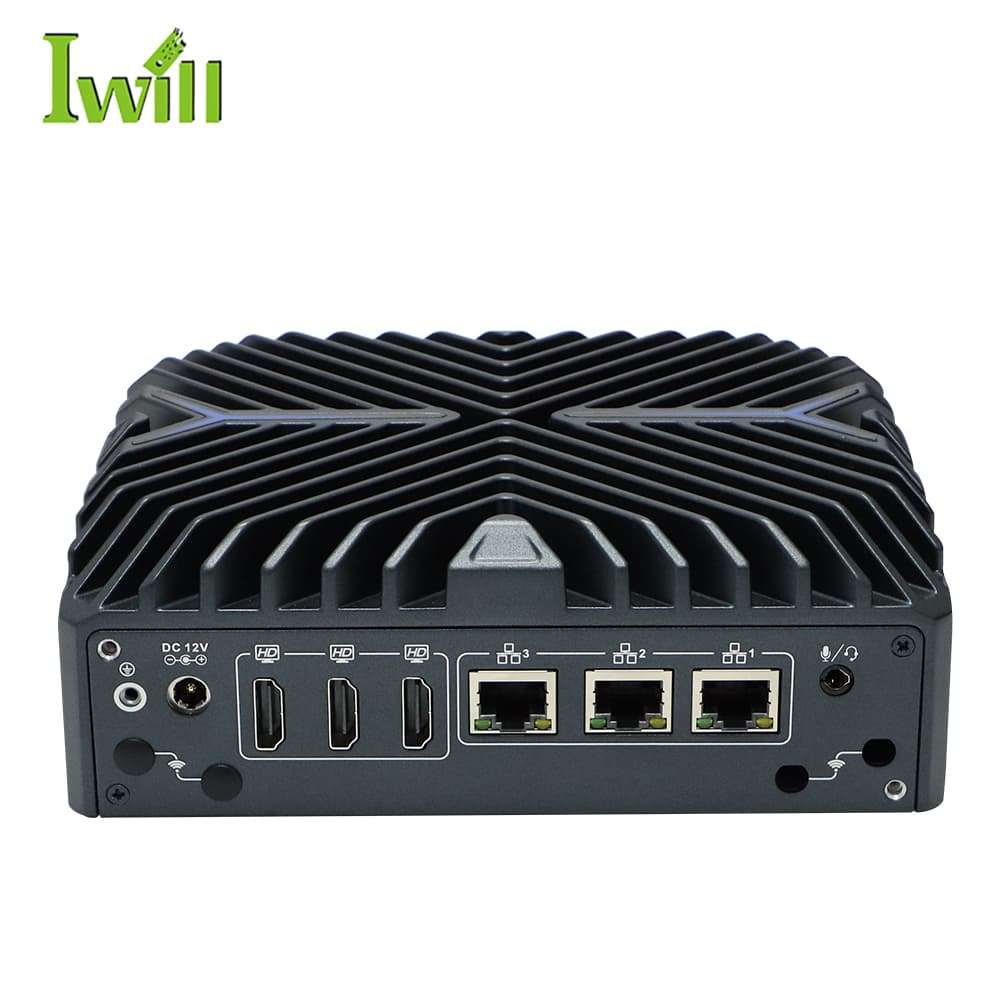
In this article, we will show you how to build a professional Digital Signage system with open-source software and hardware that drives up to 3 screens from a single device – at a price lower than a single BrightSign player. See our Digital Signage configuration with N3322.
What is Digital Signage?
Digital Signage is dynamic visual communication through digital screens. From simple menus in restaurants to complex networks of hundreds of displays in shopping centres and airports – any solution where a screen displays managed content is Digital Signage.
Restaurants and cafes
Digital menus with instant price changes, daily specials and promotions. No reprinting, no waiting.
Retail and shops
Product displays, seasonal campaigns, in-store navigation and interactive promotions.
Hotels and corporate lobbies
Welcome screens, event schedules, wayfinding signage and branded content.
Important: Digital Signage is not simply a television with a presentation – it is a marketing channelthat is updated in real time from anywhere in the world.
Why is a Smart TV not enough?
Smart TV
- ×No remote content management
- ×No scheduled automatic content changes
- ×Overheats in 24/7 operation
- ×Automatic updates break the settings
- ×Only 1 screen per device
- ×Not designed for a business environment
Dedicated player
- CMS management from a web browser
- Scheduled playlists by day and time
- Designed for uninterrupted 24/7 operation
- Remote restart and monitoring
- Multiple screens from 1 device
- Enterprise security with TPM 2.0
The calculation: A Smart TV costing £500 that freezes every month and requires a physical visit to restart costs more than a proper installation over 3 years – just from staff losses and non-functioning content alone.
What is a CMS and why do you need one?
A CMS (Content Management System) for Digital Signage is the software platform through which you manage what is displayed, when, and on which screen.
With a good CMS you can: upload new content (video, images, web pages), create playlists and schedule them by day and time, push changes to remote screens with a single click, and monitor the status of every device in real time.
Scala Enterprise
£500+/screen/year. Full enterprise features, closed source, vendor lock-in.
Only for corporations with a large budget
Xibo CMS
Open-source, free self-hosted. Full web interface with a drag & drop editor, advanced scheduling and Video Wall support.
Ideal for N3322 — tested and working
In practice: With Xibo on the N3322 you manage 100 screens from a single tablet – with zero CMS licences. Upload a video, set a schedule and press “Publish”. It really is that simple.
How does the system work?
Xibo CMS is installed on your server (or you use the cloud version), and the N3322 operates as an intelligent player that automatically downloads and displays the content.
ROI for restaurants and retail
Let us do a real calculation for a restaurant chain:
Scenario: 10 locations, 2 screens per location = 20 screens
Traditional approach (printed menus)
- 20 menus × 12 changes/year × £50 = £12,000/year
- + labour for physical delivery and installation
- + 2–3 day delay with every change
Digital Signage with N3322 + Xibo
- 10 pcs. N3322 (2 screens each) = one-off ~£5,500
- Instant content changes from the office
- + upsell promotions = +15–30% average order value
+15–30%
higher average order
£0
printing costs
5 min
to change the menu
24/7
remote management
N3322: 3 screens from 1 device
3× HDMI 4K@60Hz
Three independent screens from 1 compact device. Each output displays different content simultaneously.
DDR5 + Intel i5-1235U
Smooth 4K video on all 3 outputs simultaneously. No stuttering, no quality compromises.
3× 2.5G LAN
A separate management network from the content delivery network. Security and stability.
Ultra-compact + TPM 2.0
VESA mount behind any screen. Secure boot and encrypted storage to protect content.
In practice: A single N3322 replaces 3 separate media players. Mounting? A VESA bracket behind the screen – invisible and protected from tampering.
Example installation: Restaurant chain
Centralised management of 10 locations from the office
Result: Changing the menu across all 30 screens — 5 minutes from the office, without visiting the locations.
Cost comparison
| BrightSign + Scala | N3322 + Xibo | |
|---|---|---|
| Hardware for 3 screens | 3 × £400 = £1,200 | £550 |
| CMS licence/year | 3 × £500 = £1,500 | £0 |
| Content management | Separate software | Included (Xibo web UI) |
| Remote monitoring | Additional module | Included |
| 3-year TCO | £5,700 | £550 |
N3322 – Key Specifications
3× 4K
HDMI displays
DDR5
next-generation memory
3× 2.5G
LAN ports
£550
starting price
Conclusion
Digital Signage is no longer a luxury for large chains. With the right hardware and an open-source CMS, any business can have a professional digital screen system – from a single restaurant to a network of 100+ locations.
The N3322 turns any television into an intelligent business tool. Three 4K screens from a single device, zero licences and management from your phone – this is the future of visual communication.
Recommended configurations
Mini PC solutions for Digital Signage, multimedia and Edge Computing.